Run the suite on containers
The problem
A suite that needs a database and a broker usually asks you to install both first. You would rather start the suite and let it bring what it needs.
These lessons use recorded runs from OpenCSMS, a separate suite. You can follow them without its checkout. Running the commands needs it.
OpenCSMS manages EV charging. It has a REST API with a dashboard, PostgreSQL for storage, RabbitMQ for events, and billing and notification workers. Its suite has one setup class and four modes. This track reads three modes, then examines failures the suite creates deliberately.
Do it
1. Run the suite in container mode
From the OpenCSMS repository root, with a container runtime available:
pwsh eng/run-suite.ps1 -Mode container
The script first builds the dashboard with npm. It then runs dotnet test tests/OpenCsms.Suite -c Release and saves the test output to artifacts/gates/opencsms-container-<timestamp>.log.
A plain dotnet test tests/OpenCsms.Suite does not build the dashboard, so its browser journeys skip unless an earlier build exists.
2. Read the run's own counts
The recorded log ends with this summary:
Passed! - Failed: 0, Passed: 75, Skipped: 0, Total: 75, Duration: 6 s - OpenCsms.Suite.dll (net8.0)
This run was recorded on 2026-09-28 in opencsms-container-20260928-194709.log. All 75 tests ran, including the seven Chromium journeys. Your checkout can produce different counts.
3. Read the chain that decided
The setup class declares each target, a thing the suite needs such as the database or the broker, the same way. Each target has a chain of providers: an ordered list of ways to get it, where the first one whose condition holds serves it:
1.AddInfrastructure(2"CsmsDatabase",3chain => chain4.UseConfigured()5.UseAspireResource<OpenCsmsAppHostAnchor>("opencsms")6.UseContainer(PostgresDatabase.Container()),7CsmsInfrastructureExtensions.ConnectionStringKey)8.AddInfrastructure(9"CsmsBroker",10chain => chain11.UseConfigured()12.UseAspireResource<OpenCsmsAppHostAnchor>("rabbitmq")13.UseContainer(RabbitMqBroker.Container()),14RabbitMqOptions.ConnectionStringSetting,15"Messaging:RabbitMq:ConnectionString")
- Configured values win
UseConfigured requires a nonempty value for every key declared by this target. The database declares one key; the broker declares two.
- Then the AppHost
The next lesson selects this provider. It stays second, so a configured address still wins over it.
- Then a container the run owns
The host starts postgres:16-alpine when the container provider wins. The broker chain uses rabbitmq:3.
- Two keys for one broker
The final two arguments declare the broker settings. One is for the suite and one for the application. Both need values for UseConfigured to win.
Setup.cs.With no configured connection strings and Aspire unselected, both chains reach UseContainer. The host starts the containers and disposes them at the end.
The script keeps exported connection strings in container mode, so check them before trusting the mode name.
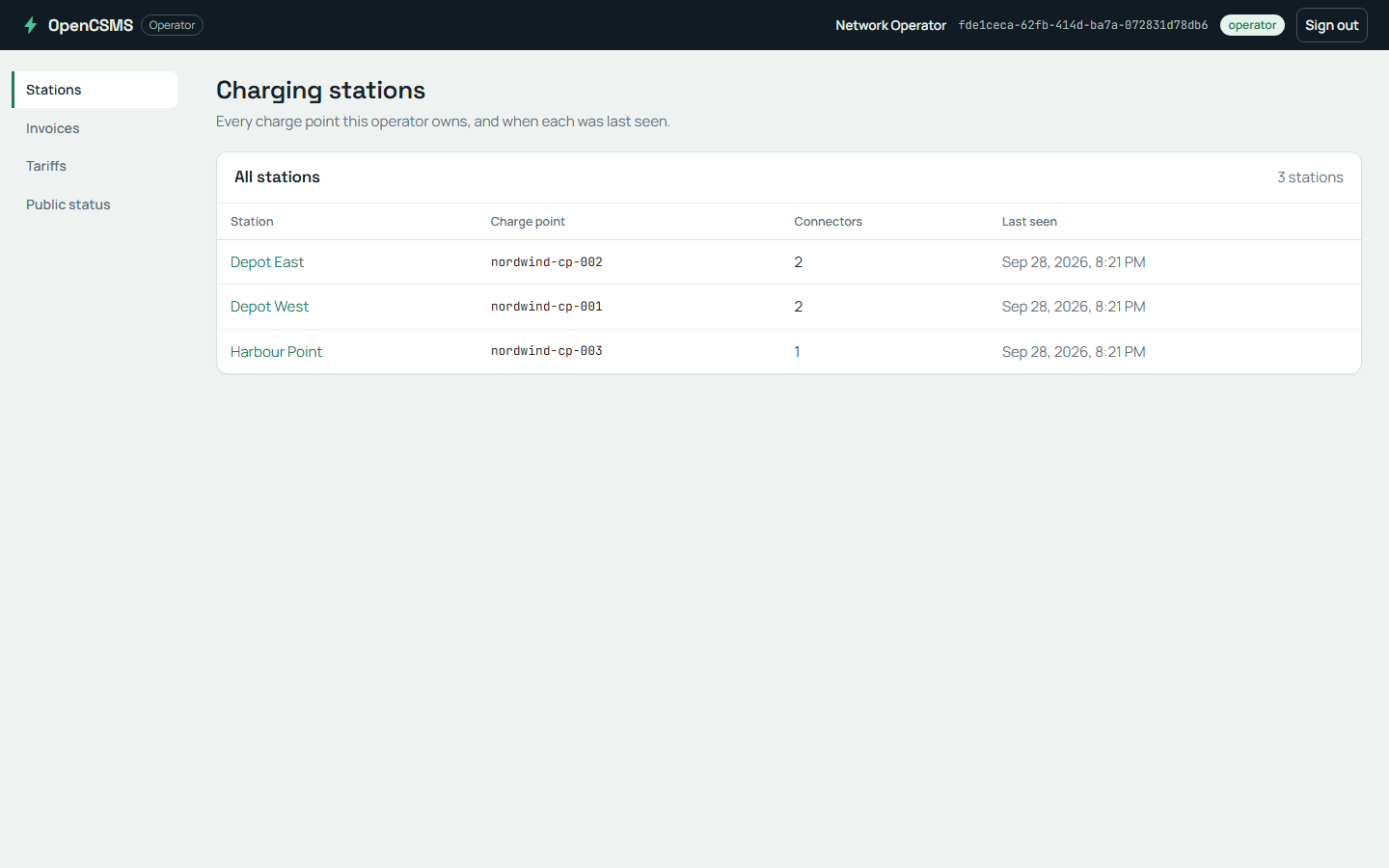
The dashboard on a local run, the screen the Chromium journeys drive.
What happened
In the recorded container run:
- The application runs inside the test process: the API and both workers, started by the host.
- The database and broker are containers the run starts and removes,
postgres:16-alpineandrabbitmq:3. - Tests: all 75 passed, with no skips in this recording.
The same setup class supports configured services. Set these environment variables to connection strings for an existing database and broker:
ConnectionStrings__Csms
Messaging__RabbitMq__ConnectionString
ProtoTest__Messaging__RabbitMq__ConnectionString
The first is the product's database. The other two are the product's broker and the suite's own messaging tap, so point both at the same broker.
Run the script with -Mode configured to require all three exported values before testing. Both configured providers then win, so these chains start no containers.
The table compares the recorded runs used in these lessons. The next two lessons explain the other two rows.
| Mode | API | Workers | Store and broker | Counts |
|---|---|---|---|---|
| Containers | In the test process | In the test process | Postgres container the run starts; RabbitMQ container the run starts | 75 passed, 0 skipped of 75 |
| Aspire topology | AppHost api project resource | AppHost project resources | AppHost Postgres container; AppHost RabbitMQ container | 61 passed, 13 skipped of 74 |
| Published | A process started outside the suite | Processes started outside the suite | Persistent container the run points at; Persistent container the run points at | 61 passed, 13 skipped of 74 |
Check yourself
You set ConnectionStrings__Csms to an existing database's connection string before running the script again. Which provider serves CsmsDatabase, and what happens to CsmsBroker?
UseConfigured() is first in the database chain. Its one declared key has a value, so that chain uses the existing database and starts no PostgreSQL container.
The broker chain resolves independently. Without both broker settings, it still falls back to a RabbitMQ container when Aspire is unselected.
Remember
- Each target follows an ordered chain, and the first provider whose condition holds serves it.
- Without configured services or Aspire selection, the fallback providers start
postgres:16-alpineandrabbitmq:3for the run. - The script writes the test output to a log. Read that run's results alongside its configuration.
Next: Let Aspire start the topology.
Go deeper
- Environments: configured addresses, containers and deployed applications in one suite.