Test an Aspire AppHost from your test suite
ProtoTest.Aspire runs an Aspire AppHost with the suite: the run starts it, each resource becomes an application target, and the run releases it.
[ProtoTest]
public async Task Health_endpoint_answers()
{
    var address = Proto.Context.AspireResource("api");

    using var http = new HttpClient();
    using var response = await http.GetAsync(address);
    response.EnsureSuccessStatusCode();
}
Run it with dotnet test. A green run prints Passed Health_endpoint_answers. The application's REST, GraphQL and gRPC clients resolve the same address, so the journey in Compose calls the resource through the normal client.
What it adds
An AppHost is an Aspire project that declares an application's processes and services, so they start together.
ProtoTest.Aspire lets the run start one:
- The run starts the AppHost's own entry point, after the infrastructure registered before it.
- Each resource's endpoint is published as its application's
BaseUrl, so the usual clients reach it. - The run stops the AppHost after the reports are written.
Per-test contexts and the trace work as usual. A test resolves an address and calls it. The AppHost runs outside the test process, so a test sees only its endpoints. Choosing between a worker and an AppHost says when you want that.
Install
dotnet add package ProtoTest.Aspire
The package targets net8.0, net9.0 and net10.0. The Aspire release is pinned once, centrally:
Aspire.Hosting.Testing in Directory.Packages.props, and the Aspire.AppHost.Sdk version in global.json. The
test AppHost is an Aspire AppHost SDK project, so restoring the suite needs NuGet access.
Compose
builder
    .AddAspireAppHost<TestAppHostAnchor>("api")
    .AddHttpReadiness("api", "/")
    .AddApplication("api", app => app
        .AddRest(rest => rest.AddClient("api")));
Registration order is start order. Register what the AppHost needs, such as containers, before it. Register the readiness probe after it: a probe waits at its registration position, so a probe registered first finds nothing.
TEntryPoint is any public type in the AppHost assembly; the testing host runs that assembly's entry point
in-process. A top-level Program is internal, so add an anchor type:
namespace MyApp.AppHost;

/// <summary>Anchor for the suite: pins the AppHost assembly for the Aspire testing host.</summary>
public sealed class AppHostAnchor;
The AppHost starts only when selected
Without a selection key, the AppHost never starts, and its targets resolve through their other providers. Two keys select it:
ProtoTest:Aspire:Enabledselects every AppHost provider.ProtoTest:Aspire:Resources:{resource}:Enabledselects one resource. The run's other targets stay on their other providers.
Even when selected, a configured address wins. If every key the AppHost would fill is already configured, it does not start. If some are, it starts and fills only the missing ones.
Setting the selection keys in a shell is not enough on its own: the host starts with an empty configuration, so ProtoTest__Aspire__Enabled=true reaches it only when the suite added .AddEnvironmentVariables() (or the runner supplied its own sources). A key that never arrives reads as unset and the AppHost stays off even though the shell shows it set; see Adding configuration sources.
AddAspireAppHost can be called once per AppHost. The same entry point with the same composition is one AppHost.
The same entry point with different resources throws, instead of silently dropping the second registration, and
so does one resource under two AppHosts.
The tasks
The Health_endpoint_answers test above is the whole pattern: resolve the resource address, call it.
AspireResource returns the address the AppHost published for the resource, or the configured address when the
run points at a deployed topology. The suite's own composition for one AppHost, one probe and one client is in
tests/ProtoTest.Aspire.Tests/AspireAppHostTests.cs.
Beyond that:
- Let the AppHost serve some targets and other providers the rest.
- Map resources, endpoints and settings.
- Choose between an AppHost and an in-process worker.
Serving targets through the chain
An AppHost can be one provider among others. Register it, then name its resources in the chains of the targets they serve:
builder
    .AddAspireAppHost<OpenCsmsAppHostAnchor>(options => options
        .MapConnectionString("opencsms", "ConnectionStrings:Csms"),
        "api")
    .AddApplication("Csms", app => app
        .UseConfigured()
        .UseAspireResource<OpenCsmsAppHostAnchor>("api")
        .UseInProcess<CsmsApi>())
    .AddInfrastructure("CsmsDatabase", piece => piece
        .UseConfigured()
        .UseAspireResource<OpenCsmsAppHostAnchor>("opencsms")
        .UseContainer(PostgresDatabase.Container()),
        "ConnectionStrings:Csms");
- On an application chain,
UseAspireResource<OpenCsmsAppHostAnchor>("api")publishes the resource's endpoint as the application'sBaseUrl. On an infrastructure chain, it publishes the resource's connection string under every key the target declares. ProtoAspireOptions.MapConnectionString(resource, key)fills a key no target declares. It is declared on the AppHost registration, so it joins the chain's keys like any other mapping.- The AppHost starts once, at its registration position, when it wins any target. A losing provider never starts it, and a target whose configured provider wins skips it.
- The provider follows the selection rule. Mixed setups are one key away:
ProtoTest__Aspire__Resources__opencsms__Enabled=truealone runs the store through the AppHost while the application stays in-process.ProtoTest__Aspire__Resources__api__Enabled=truealone runs the AppHost's application against the suite's container.
The run passes three layers to the AppHost as command-line arguments, each winning over the one before: the run's
configuration, the settings earlier infrastructure published, and the options' Set values. The AppHost's own
graph reads them. For example, builder.Configuration["ConnectionStrings:Csms"] decides whether it declares its
own store, and AddConnectionString or WithEnvironment passes a value into its projects. A suite container's
address reaches the AppHost the same way it reaches the suite.
The plain AddAspireAppHost registration is one target whose providers are the configured provider, the selected
AppHost and a fallback. Without a selection key, the suite resolves its targets through the other providers. The
skip record names the reason: unselected, or the missing keys for configured.
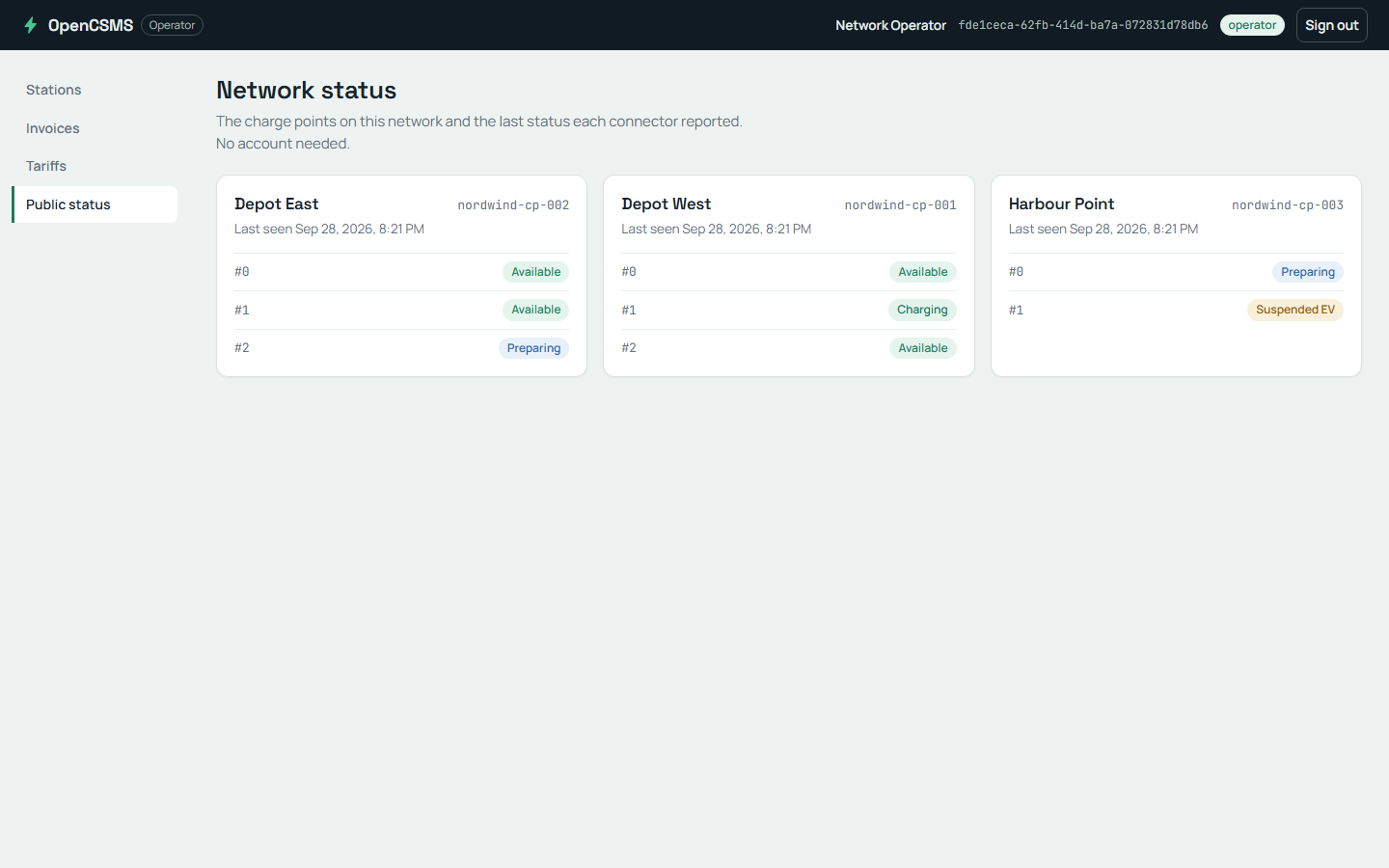
The API resource the AppHost starts serves the product dashboard and its public status page.
Options and keys
builder.AddAspireAppHost<TestAppHostAnchor>(
    options => options
        .MapResource("api", "Api")
        .UseEndpoint("api", "https")
        .Set("Seed:Catalog", "smoke"),
    "api");
| Key | Type | Default | Means |
|---|---|---|---|
ProtoTest:Aspire:Enabled | bool | unset → no AppHost provider serves | the global selection key; set it (ProtoTest__Aspire__Enabled=true) to resolve every AppHost provider's targets through the AppHost |
ProtoTest:Aspire:Resources:{resource}:Enabled | bool | unset → only the global key selects the resource | the per-resource selection key; set it (ProtoTest__Aspire__Resources__api__Enabled=true) to resolve that resource's targets through the AppHost while the run's other targets stay on their other providers |
ProtoTest:Applications:{resource}:BaseUrl | string | unset → the AppHost publishes it | set it to point the suite at a deployed topology instead of starting the AppHost; a configured key wins over the started AppHost's address for that resource |
| Option | Does |
|---|---|
MapResource | publishes the resource under a different application name. Two resources cannot share one. |
UseEndpoint | reads another endpoint of the resource than the default http |
MapConnectionString | publishes a resource's connection string under a target's key, instead of an address |
Set | passes a setting to the AppHost as a command-line argument, on top of the run's configuration and earlier infrastructure. Otherwise the AppHost reads its own sources. |
A project resource with no http endpoint (no WithHttpEndpoint, and no applicationUrl in a launch profile)
fails the start with "Aspire resource 'api' has no 'http' endpoint". Declare the endpoint in the AppHost, or point
UseEndpoint at the one the resource exposes.
Context API
string AspireResource(this ProtoExecutionContext context, string resource);
An unknown resource throws, naming AddAspireAppHost and the resources the run composed. A resource whose address
is neither published nor configured throws, naming its BaseUrl key.
In the trace and coverage
run entity aspire · Aspire AppHost · MyApp.AppHost
├─ aspire.resource.api.address = https://localhost:5001 (endpoint http, AppHost published)
└─ aspire.resource.opencsms.address_source = configuration (key already filled, AppHost never started for it)
The AppHost is run-scoped infrastructure. The trace records an aspire run entity named
Aspire AppHost · {assembly}, and the run overview lists an aspire capability named after the AppHost assembly.
The entity carries each published endpoint, aspire.resource.{resource}.address, with the endpoint name beside it.
A resource whose key configuration already fills carries aspire.resource.{resource}.address_source = configuration,
and one another provider serves carries ..._source = not selected.
A published connection string is recorded only as present: aspire.resource.{resource}.connection_string = [REDACTED].
Entity state is not redacted on its way to the archive, so the secret is never written there. A release failure is
handled like any other run resource's.
Choosing between a worker and an AppHost
ProtoTest.Hosting worker | ProtoTest.Aspire AppHost | |
|---|---|---|
| Runs | the worker's own entry point in-process | the topology as a closed box outside the test process |
| Shares | process, container and clock with the test | only endpoints |
| Sees | white-box accessors reach the worker's services | service discovery, ports and process boundaries |
| Proves | the host's services, driven or inspected | the deployed topology |
Choose the worker when the test drives or inspects the host's services. Choose the AppHost when the test must prove the deployed topology: service discovery, ports and process boundaries. Neither replaces the other, and the closed-box limits below apply only to the AppHost.
Skip
- While the AppHost serves (selected, and not fully configured), it adds the capability
aspire, named after the AppHost assembly, so[RequiresCapability("aspire")]proves composition. A test that needs one resource's application uses[RequiresApplication]. - The AppHost needs Aspire's orchestration binaries at runtime, and DCP's API server has to come up. A machine without the binaries, or where DCP itself cannot start (its container-runtime check or its API server times out, as on a constrained CI runner), fails the start with
ProtoAspireUnavailableException; catch it to skip with its reason instead of failing:
try
{
    await host.StartAsync();
}
catch (ProtoAspireUnavailableException exception)
{
    Assert.Ignore($"The Aspire orchestration runtime is unavailable: {exception.Message}");
    return;
}
Limits
- Closed box. No per-test service substitution and no in-process assertions: the suite cannot reach the AppHost's container, replace its services or read its memory. White-box tests belong in
ProtoTest.Hosting. - The suite's AppHost leg is
net10.0. The package shipsnet8.0/net9.0/net10.0assets, but the test AppHost cannot multi-target. Aspire launches its project resources withdotnet run, which cannot choose a target framework for a multi-targeted project. - One instance per run. Every test shares the AppHost, so tests must not assume a fresh topology.
- No per-test lifetime.
AddAspireAppHosthas noPerTestoption; restarting a topology between tests is not supported. - Start does not wait for readiness. A finished
StartAsyncmeans the AppHost accepted the topology, not that every resource answers. RegisterAddHttpReadinessafter the AppHost for the HTTP resources tests call. - A configured address wins per resource. With some keys configured,
AspireResourcereturns the configured value for one resource and the AppHost's address for another. - Selection decides everything. Without
ProtoTest:Aspire:Enabledor a resource's own key, no AppHost provider starts. See The AppHost starts only when selected. - The AppHost reads the run's settings, not its graph. Passing them into the AppHost's projects (
AddConnectionString,WithEnvironment, a conditional resource) is the AppHost project's own code, because only it knows its graph. - A connection-string resource has no endpoint.
MapConnectionStringreplaces the endpoint publish. A resource with neither an endpoint nor a connection string fails the start, naming the resource. - The AppHost project restores the Aspire SDK from NuGet. An offline restore cannot build a suite that composes one.
Links
- Background workers - the in-process alternative and how to choose.
- Infrastructure - run-scoped settings and readiness.
- REST clients - calling a published resource through its application.